Job Costing: Know Exactly What Your Labour Should Be
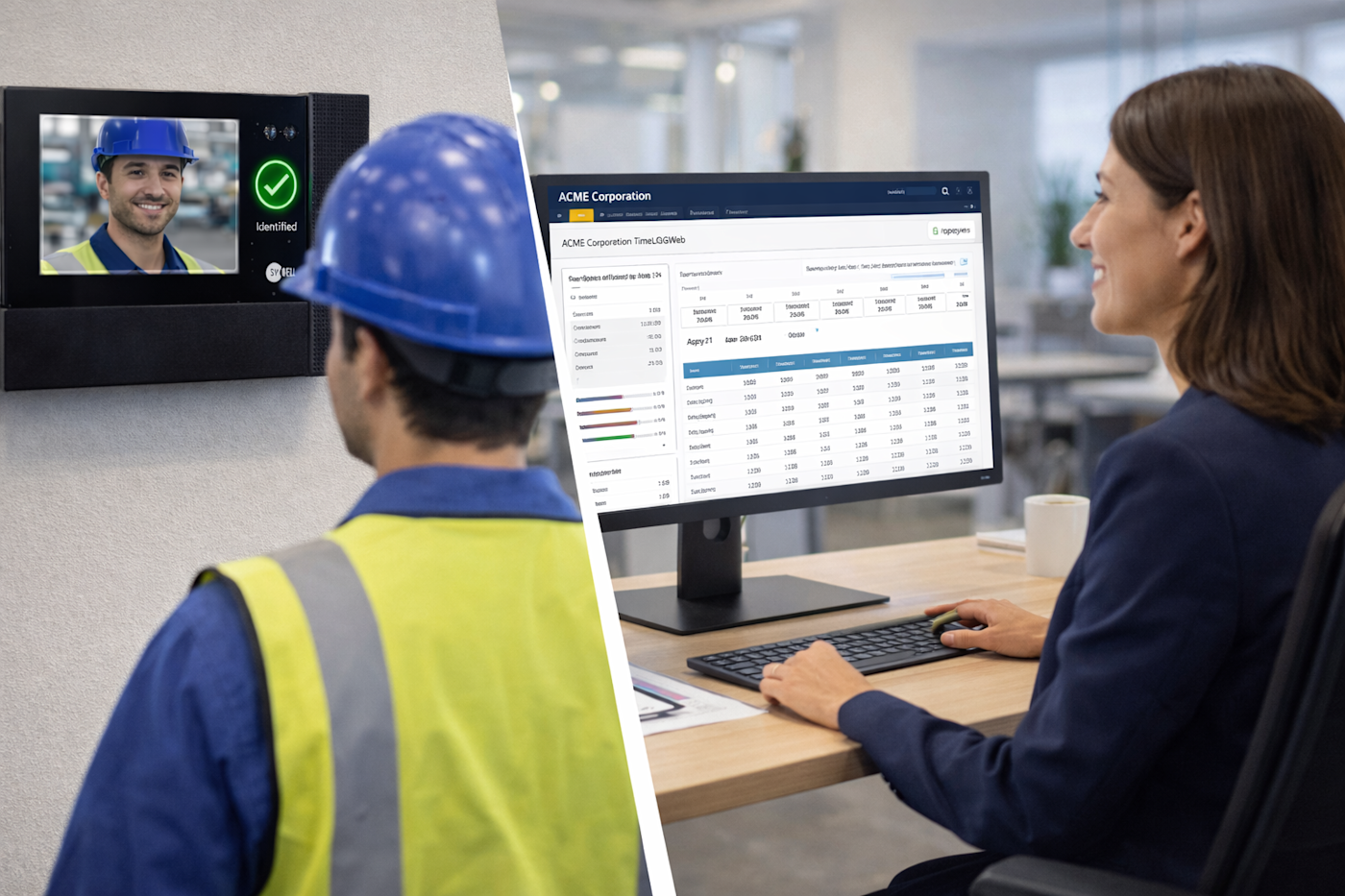
Job costing from Synel connects time worked to the work itself. Employees record time against specific jobs, projects, or production lines, giving you visibility into where labour is spent and how it compares to plan, while work is still in progress.
The reality today
You know your employees worked 40 hours, but where did those hours go? Which projects are profitable and which are bleeding money? Manual timesheets are unreliable, invisible overheads get missed, and by the time you realise a job has gone over budget, it’s too late to do anything about it.
The Solution
Job costing with Synel Projects tracks labour at the point work happens. Time is recorded against the right job as it’s done, planned and actual hours are compared automatically, and cost data is visible in real-time rather than reconstructed after the fact.
Know True Project Costs
Every hour tracked against the right project. No more invisible overheads or missed costs.
Spot Problems Early
Real-time planned vs actual comparison flags jobs going over budget before it's too late.
Bill Accurately
Accurate time data means accurate invoices. Quote future work based on real historical data.
Improve Efficiency
Compare productivity across departments, employees, and production lines. Find the bottlenecks.
Key Features
Everything you need, built in.
How Time & Attendance Works
From clocking in to payroll-ready data in a few simple steps.
Clock In
Employee clocks in for the day at entrance terminal—standard T&A attendance.
Select Job
At workstation, employee clocks onto specific job using terminal, barcode scan, or app.
Work
System tracks time against that job. Switch jobs by clocking off one and onto another.
Clock Off Job
At job completion, employee clocks off. Exception codes capture any downtime reasons.
Analyse
Managers view real-time dashboards, planned vs actual reports, and cost centre breakdowns.
Built for Your Sector
About Job Costing and Time Tracking
Basic time and attendance tells you when employees work. Job costing tells you what they work on. Synel's Synergy Projects module captures time spent on specific activities and attributes it to projects, clients, or cost centres—giving you the data to analyse profitability, improve efficiency, and bill accurately.
Beyond Clocking In and Out
The system moves beyond simple attendance tracking to capture what employees do during their shift. Workers clock onto specific jobs, production lines, or client projects. The system compares planned time versus actual time, flagging variances and calculating the true cost to complete each piece of work.
Three Activity Types
Scheduled activities have set start and target end times—if an employee starts late, the system flags non-productive time and highlights the cost impact. Non-scheduled activities let employees choose from a list without pre-defined times, common in dynamic service environments. Exception codes capture downtime like machine breakdowns or material shortages, so it's tracked but not billed to the project.
Multiple Data Capture Methods
Fixed terminals on the shop floor—often with barcode scanners for job sheets—let production workers clock onto specific jobs. The Synergy App enables field engineers and service staff to start and end jobs remotely, with GPS coordinates verifying they're on-site. Office staff log activity time through a web browser virtual terminal.
Real-Time Monitoring
The Presence Information Panel provides a real-time dashboard showing what every employee is currently working on. Daily activity screens give granular project information highlighting exceptions and variances. Cost centre management tracks labour across departments and sites, enabling accurate cross-charging.
Manufacturing Use Case
Workers clock in at the factory entrance for attendance, then use shop floor terminals to clock onto specific production jobs. This replaces manual timesheets—historically reducing payroll errors by over 90%. The system links with shift handover processes, ensuring workers are certified for the specific machine or zone they're logging time against.
Construction and Field Services
Using the Field Management add-on, workers complete electronic job sheets directly on the app. This enables accurate contractor time tracking for valuation verification and billing. The system can export data to raise invoices based on each project's labour and material costs.
Integration with Payroll and ERP
Job costing shares the same hardware and database as Time & Attendance. Hours worked per cost centre export directly to SAP, Sage, Pegasus, and Cascade for accurate pay runs. If an employee clocks onto a job but hasn't clocked in for the day, the system flags the discrepancy automatically.
Related Time & Attendance Solutions
Explore more solutions that work together.
Holiday Management
Holiday management software automates leave requests, approvals, and entitlement tracking. Employees...
Employee Self-Service
Employee self-service gives staff direct access to check holiday balances, submit leave requests, cl...
Rules Engine
Automatically apply complex pay rules to clocked hours without spreadsheets or errors.
Time & Attendance FAQs
Common questions about time & attendance answered.
Can I track time against specific jobs or projects?
Yes. The Synergy Projects module allows employees to clock onto specific jobs, tasks, cost centres or production lines.
This enables businesses to compare planned versus actual time, calculate true project costs and analyse productive versus non-productive time.
Data capture can be via shop floor terminals with barcode scanners, mobile app for field workers, or web browser for office staff. Reports show real-time job progress and cost variances.
What is a time and attendance rules engine?
A rules engine is the software logic that converts raw clocking data into accurate net pay. Unlike basic systems that just record start and finish times, Synel's rules engine automatically calculates shift differentials, overtime thresholds, grace periods and break deductions.
This ensures gross-to-net hours are calculated accurately before data is sent to payroll, eliminating manual calculations and spreadsheet errors.
The complexity of this logic is why major payroll providers like Iris and Cascade partner with Synel rather than building it themselves.
Can employees use the same credential for both time & attendance and door access?
Yes. Synel's integrated platform allows a single credential to work across multiple systems. Whether employees use a card, fob, fingerprint or facial recognition, the same credential can be used to clock in and gain door access at the same time.
This means one system and one enrolment process, reducing complexity and lowering overall cost. It also creates a simpler, more consistent experience for employees.
If enabled, the same credential can also be used for cashless catering and secure print release.
What payroll systems does Synel integrate with?
Synel integrates with major UK payroll and HR systems including Sage, SAP, Oracle, Iris, Cascade, Pegasus and ADP.
Our open architecture allows integration with virtually any system that can accept data imports or has an API. The system exports approved hours directly to these platforms, reducing administrative time and eliminating manual data entry.
See job costing in action
Book a demo to see how Synel can streamline your operations and deliver measurable ROI.
Trusted by industry leaders