Expense Management: No More Paper Receipts
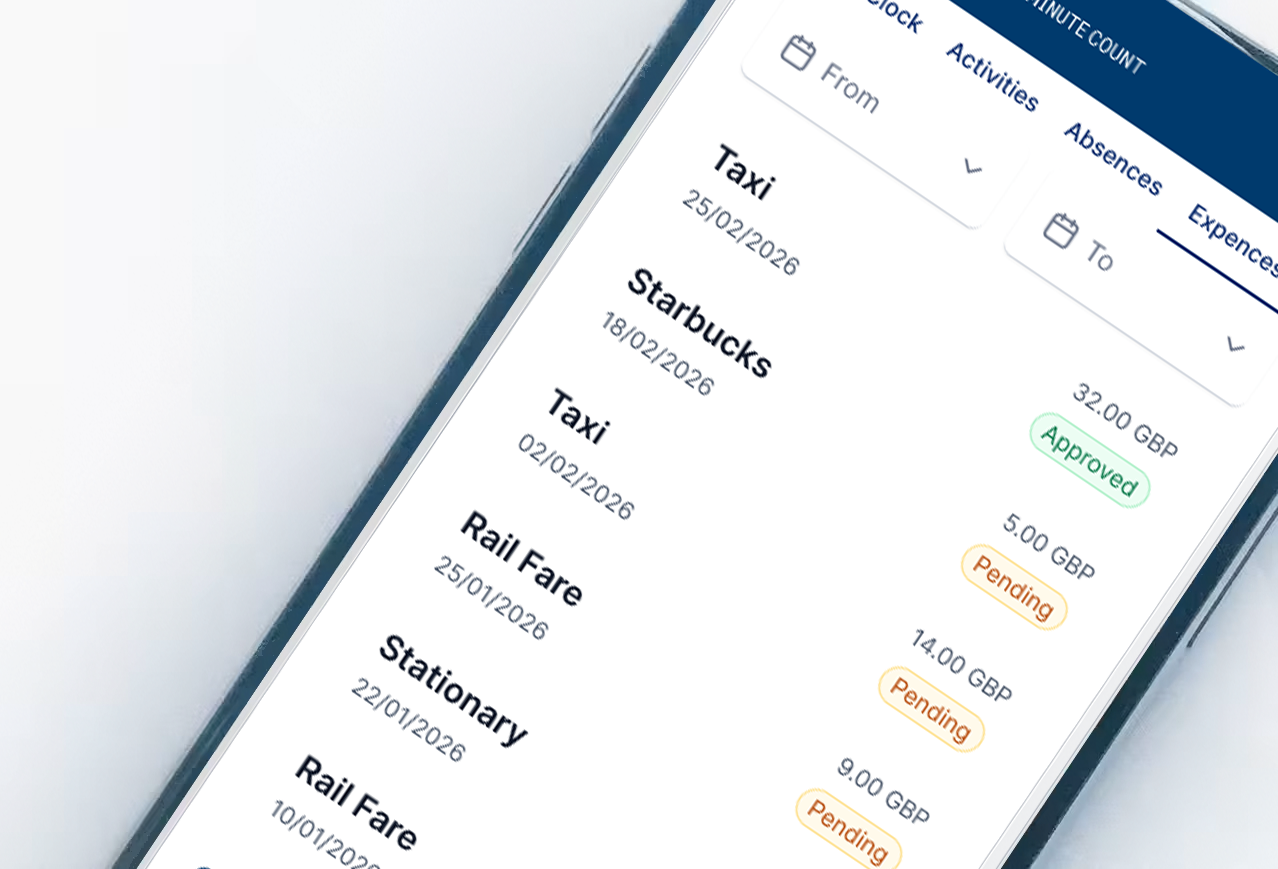
Expense management from Synel Workforce removes paperwork from claims entirely. Receipts are captured at the point of spend, submitted digitally, and approved online, giving finance clean, timely data without chasing paper or spreadsheets.
The reality today
Paper receipts fade, get lost, and pile up in wallets until the end of the month. Spreadsheets get emailed around, reformatted, and manually keyed into finance systems. Managers approve claims without seeing the actual receipt. Finance chases missing VAT details. The whole process wastes hours of admin time every month and still produces errors.
The Solution
Expense management from Synel digitises the process at source. Receipts are captured on a phone, policy rules are applied before submission, and approved claims flow straight into payroll and finance systems without re-keying.
Zero Paper
Photograph receipts the moment you spend. No keeping paper. No shoeboxes at month end.
Instant Approval
Managers approve claims online with full receipt visibility. No chasing signatures.
Policy Compliant
Expense policies enforced at submission. Invalid claims blocked before they waste anyone's time.
Payroll Ready
Approved expenses flow directly to payroll. Reimbursements on the next pay run.
Key Features
Everything you need, built in.
How It Works
Simple implementation, powerful results.
Capture
Employee photographs receipt using the Synergy App or uploads via web portal.
Categorise
Amount entered, category selected, cost centre assigned if required.
Submit
Claim submitted instantly or saved as draft for later batch submission.
Approve
Manager receives notification, reviews receipt image, approves or rejects online.
Reimburse
Approved expenses exported to payroll system for automatic reimbursement.
Built for Your Sector
About Synergy Expenses
Expense claims shouldn't require spreadsheets, shoeboxes of receipts, and hours of admin time. Synergy Expenses replaces the entire paper-based process with a digital workflow. Employees capture receipts on their phone the moment they spend. Managers approve claims online with full visibility of every receipt. Finance gets clean data that flows straight into payroll.
Capture Expenses Instantly
The Synergy App turns any smartphone into an expense capture device. Employee buys lunch, takes a photo of the receipt, enters the amount, and assigns a category. Done in seconds. No keeping paper receipts. No remembering what that faded receipt was for three weeks later. Expenses can also be entered via the web portal for those who prefer working from a PC.
Mileage Claims Made Simple
Business mileage is handled within the same system. Employees enter journey details, the system calculates the claim based on your mileage rates, and it joins the approval queue alongside other expenses. No separate spreadsheets for mileage. No arguments about rates. Everything in one place.
Categories and Cost Centres
Every expense gets assigned to the right category: parking, subsistence, travel, stationery, accommodation. Categories map to your accounting nominal codes, so data exports cleanly into your finance system. For project-based businesses, expenses can be allocated to specific cost centres or clients, giving you true visibility of project profitability.
Policy Enforcement at Source
Administrators define expense policies centrally and push them to the app. Spending limits, required fields, permitted categories. Invalid claims get flagged before submission, not after. This eliminates the back-and-forth of rejected claims and ensures compliance from the start.
Manager Approval Workflow
When an employee submits a claim, their manager receives an instant notification. The manager sees the claim details and the actual receipt image online. One click to approve, one click to reject with a reason. No chasing paper. No waiting for monthly expense runs. Claims can be approved from anywhere.
Finance Dashboard and Reporting
Finance teams get a central dashboard showing all expenses across the organisation. Drill down by department, category, or individual. A full suite of reports covers spending patterns, missing VAT details, and duplicate submissions. Spot anomalies before they become problems.
Integrated with Payroll and T&A
Synergy Expenses shares the same employee database as Time & Attendance. No duplicate data entry. No syncing headaches. Approved expenses flow directly into payroll systems including Sage, SAP, Oracle, and IRIS. Reimbursements appear on the next pay run automatically.
Submit Now or Save for Later
Employees can submit expenses immediately as they happen, or save them as drafts to consolidate later. The app stores saved expenses locally, so even without an internet connection, receipts can be captured and uploaded when connectivity returns. The employee dashboard shows saved versus submitted claims, so nothing gets forgotten.
Related Solutions
Explore more solutions that work together.
Synergy Documents
Store HR documents digitally with expiry alerts and controlled access for compliance.
Synergy App
Mobile workforce management for clocking, requests, expenses, and approvals on the go.
Field Management
Real-time visibility of mobile workers, job progress, and travel versus productive time.
Frequently Asked Questions
Do I still need to keep paper receipts?
No. HMRC accepts digital images of receipts as valid records. When you photograph a receipt in the Synergy App, the image is stored against the claim with a timestamp. You can discard the paper original. The digital copy serves as your audit trail.
How are mileage claims calculated?
Employees enter journey details and the system calculates the claim based on your configured mileage rates. You can set different rates for different vehicle types and apply HMRC advisory rates automatically. Claims join the same approval workflow as other expenses.
Can I set spending limits and expense policies?
Yes. Administrators define expense policies centrally and push them to the app. You can set spending limits by category, require certain fields, restrict permitted expense types and flag claims that exceed thresholds. Invalid claims are blocked before submission.
How do expenses get to payroll?
Approved expenses export directly to your payroll system. Synergy integrates with Sage, SAP, Oracle, IRIS and most UK payroll platforms. Data maps to your nominal codes and cost centres automatically. Reimbursements appear on the next pay run without manual re-keying.
Can expenses be allocated to projects or cost centres?
Yes. Each expense can be allocated to a specific cost centre, project or client. This integrates with Synergy Projects for job costing, giving you true visibility of project profitability including all associated expenses, not just labour.
See Synergy Expenses in action
Book a demo to see how Synel can streamline your operations and deliver measurable ROI.
Trusted by industry leaders