
Student Registration: Self-Service Check-In, Zero Teaching Time Lost
Student registration by Synel removes attendance admin from the classroom. Students register themselves at the start of each lesson, so teachers can begin teaching straight away while attendance data updates automatically in your MIS.
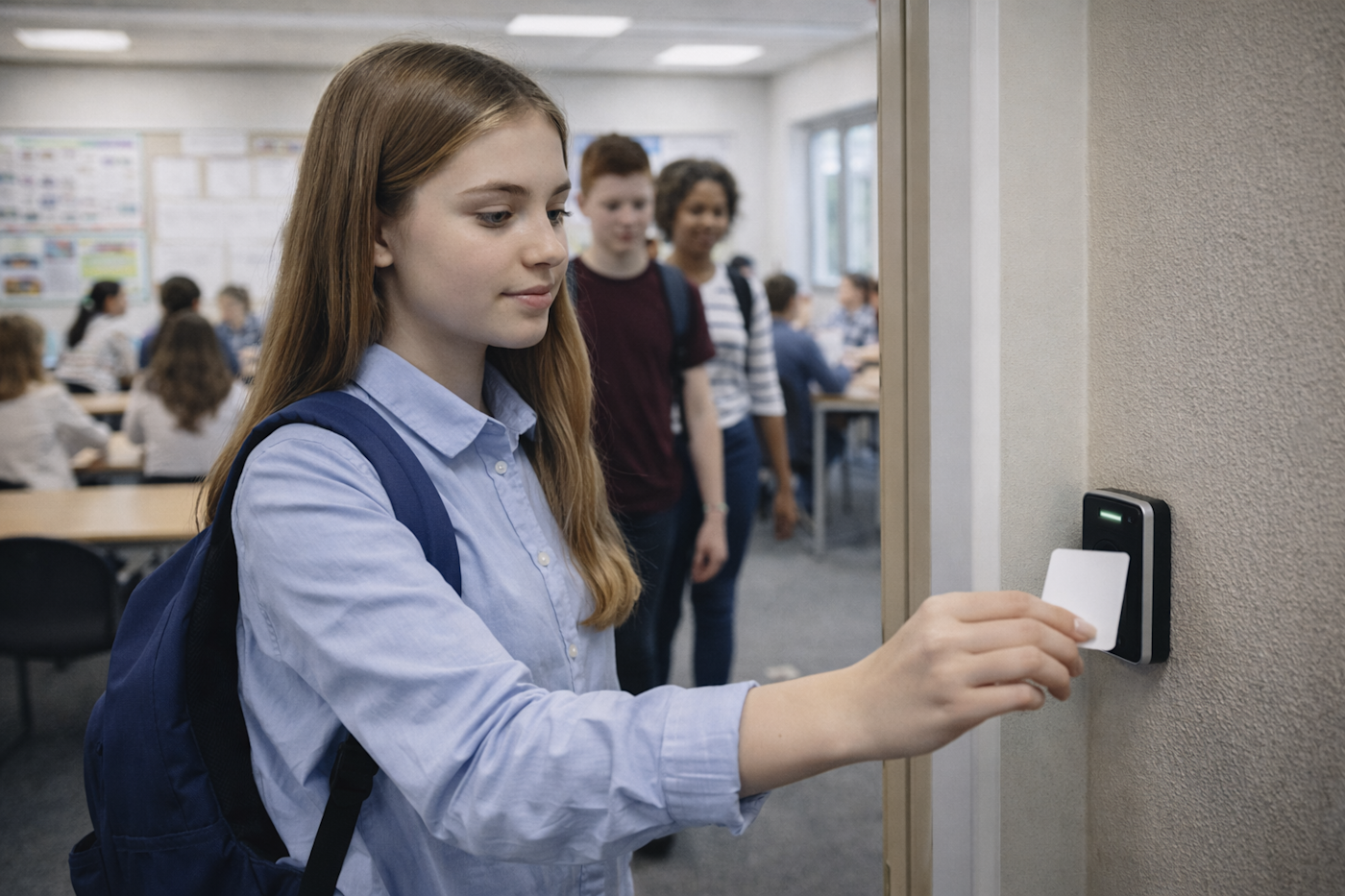
The reality today
Manual registration wastes teaching time every lesson. Teachers call names while students chat. Paper registers get lost or filled in late. You discover a student was marked present for morning registration but never arrived at afternoon lessons. Buddy signing means the register does not reflect who is actually in the room.
The Solution
Student registration from Synel captures attendance as lessons begin. Students check in themselves using cards, biometrics, or tablets, the system confirms they are in the right place at the right time, and records are written straight back to your MIS without interrupting teaching.
Save Teaching Time
Self-service registration requires no teacher input. Teaching starts immediately.
Lesson-by-Lesson
Track attendance for each period, not just morning and afternoon.
No Buddy Signing
Biometrics cannot be shared. Students register for themselves only.
Works Anywhere
Fixed terminals, mobile tablets, web browser. Online or offline.
Key Features
Everything you need, built in.
How It Works for Schools
Safeguarding and attendance made simple for education settings.
Student Arrives
Student enters classroom or arrives at registration point.
Presents Credential
Taps card, presents fingerprint, or uses facial recognition.
System Validates
System checks timetable to confirm student should be there.
Registration Logged
Attendance recorded with timestamp and location.
MIS Updated
Data syncs to SIMS, Arbor or other MIS automatically.
Built for Your Sector
About Student Registration
EduReg by Synel enables student registration for each period without requiring any help from teachers. Students check in using biometrics, cards or mobile devices. The system handles AM/PM statutory registration and lesson-by-lesson tracking, integrating directly with your MIS and timetable.
Tracking Methods
Choose the identification method that suits your environment. Biometric options include fingerprint and facial recognition, which prevent buddy punching where one student signs in for another. Smart cards and fobs support Proximity, Mifare and HID technologies. Mobile tablet apps and web browser access provide flexibility for different registration points around the campus.
Lesson-by-Lesson Registration
Unlike simple clock-in/out systems, EduReg tracks attendance for specific periods or lessons throughout the day. The system integrates with your timetable so it knows which students should be where. A student registered for morning form time but missing from Period 3 Maths is flagged immediately.
AM/PM Statutory Registration
The system supports standard statutory morning and afternoon registration sessions required by DfE. Data flows directly to your MIS, ensuring official registers are accurate and up to date for Ofsted inspection.
Self-Service Registration
Students take responsibility for their own registration. They present their card or biometric at fixed terminals, use a mobile tablet app, or register via web browser. Teachers are freed from the admin of calling names and marking registers. Teaching starts immediately.
Timetable Integration
The registration system knows your timetable. It understands that Year 10 should be in different rooms at different times. When a student registers, the system validates against where they should be, not just that they are somewhere on site.
Fixed and Mobile Options
Deploy fixed terminals at classroom doors for high-volume registration points. Use mobile tablets for PE lessons on the field or trips off-site. The web browser interface works on any device. All data syncs to the same central system whether online or offline.
Offline Capability
Terminals and mobile apps work offline if the network fails. Registration data stores locally and syncs automatically when connection restores. Older school buildings with patchy WiFi do not prevent accurate attendance capture.
Education FAQs
Common questions about education answered.
What is KCSIE and how does access control help?
Keeping Children Safe in Education (KCSIE) is statutory guidance for schools in England.
Access control supports KCSIE compliance by ensuring only vetted individuals can access school premises. It maintains visitor logs with photo ID and provides audit trails demonstrating safeguarding procedures are followed.
This evidence is essential for Ofsted inspections.
What MIS systems does Synel integrate with for schools?
Synel integrates with major Management Information Systems including SIMS, iSAMS, Schoolbase, Tribal, EBS and Compass.
It also connects with cashless payment providers such as ParentPay, WisePay, Tucasi and Squid for a fully integrated school management solution.
Do schools need parental consent for biometrics?
The Protection of Freedoms Act 2012 requires schools to obtain written consent from at least one parent before processing a child's biometric data. Either parent can object, and schools must provide an alternative such as a card or PIN. For this reason, many primary and secondary schools use RFID cards rather than biometrics. Sixth forms and colleges with older students often use biometrics as students can consent themselves at 18.
See student registration in action
Book a demo to see how Synel can streamline your operations and deliver measurable ROI.
Trusted by industry leaders