Synergy Connect: Your Hardware, Any WFM Platform
Synergy Connect from Synel lets you use proven clocking hardware with the workforce management platform you’ve already chosen. Biometric devices and the Synergy App feed accurate data into third-party systems without long SDK projects or custom builds.
The reality today
Your workforce management platform covers scheduling, payroll and HR, but it falls over when it comes to real-world time capture. It doesn’t talk cleanly to clocking hardware or cope with complex shift rules. Custom SDK integrations take months and cost a fortune, so you end up stuck with manual entry, proxy clocking and gaps in your audit trail. You need reliable hardware data without turning it into a long, expensive development project.
The Solution
Synergy Connect sits between Synel hardware and your WFM platform, passing clocking data securely through standard APIs. Integration is fast, enrolment stays on the devices, and clocking data flows automatically without ongoing development or maintenance overhead.
Skip the SDK
REST and SOAP APIs get you connected in minutes. No custom development, no ongoing maintenance burden.
Any Platform
Works with any third-party workforce management software. Several platforms pre-integrated out of the box.
Secure by Design
Biometric data stored as irreversible algorithms. Secure transmission protects data in transit.
Fully Supported
Nationwide engineers handle installation and ongoing support. Hardware problems are our problem, not yours.
Key Features
Everything you need, built in.
How Time & Attendance Works
From clocking in to payroll-ready data in a few simple steps.
Install Hardware
Synel engineers install biometric terminals at your sites—or use the Synergy App for mobile workers.
Connect Service
Hardware connects to the Synergy Connect cloud service over secure internet connection.
Integrate Platform
Your WFM platform integrates via REST or SOAP API. Pre-built connectors available for major platforms.
Enrol Employees
Employees enrol on the clocking device. Biometric templates sync automatically with your WFM software.
Capture Data
Clocking events flow from hardware through Synergy Connect to your platform in real-time.
Built for Your Sector
About Synergy Connect
You've chosen your workforce management platform. Now you need reliable clocking hardware to feed it accurate data. Synergy Connect bridges that gap—letting you use Synel's biometric terminals and mobile app with any third-party WFM software, without the cost and delay of custom SDK integration.
The Integration Problem
Connecting clocking hardware to workforce management software traditionally requires SDK development—months of work, specialist developers, and ongoing maintenance every time either system updates. Most WFM platforms don't have native support for biometric devices, leaving you with manual data entry or expensive custom builds.
How Synergy Connect Works
Synergy Connect is a fully documented cloud service sitting between Synel hardware and your WFM platform. Clocking data transmits securely over the internet to the Synergy Connect service, where it's stored until requested by—or pushed to—your third-party software. REST and SOAP APIs mean integration takes minutes, not months.
Supported Hardware
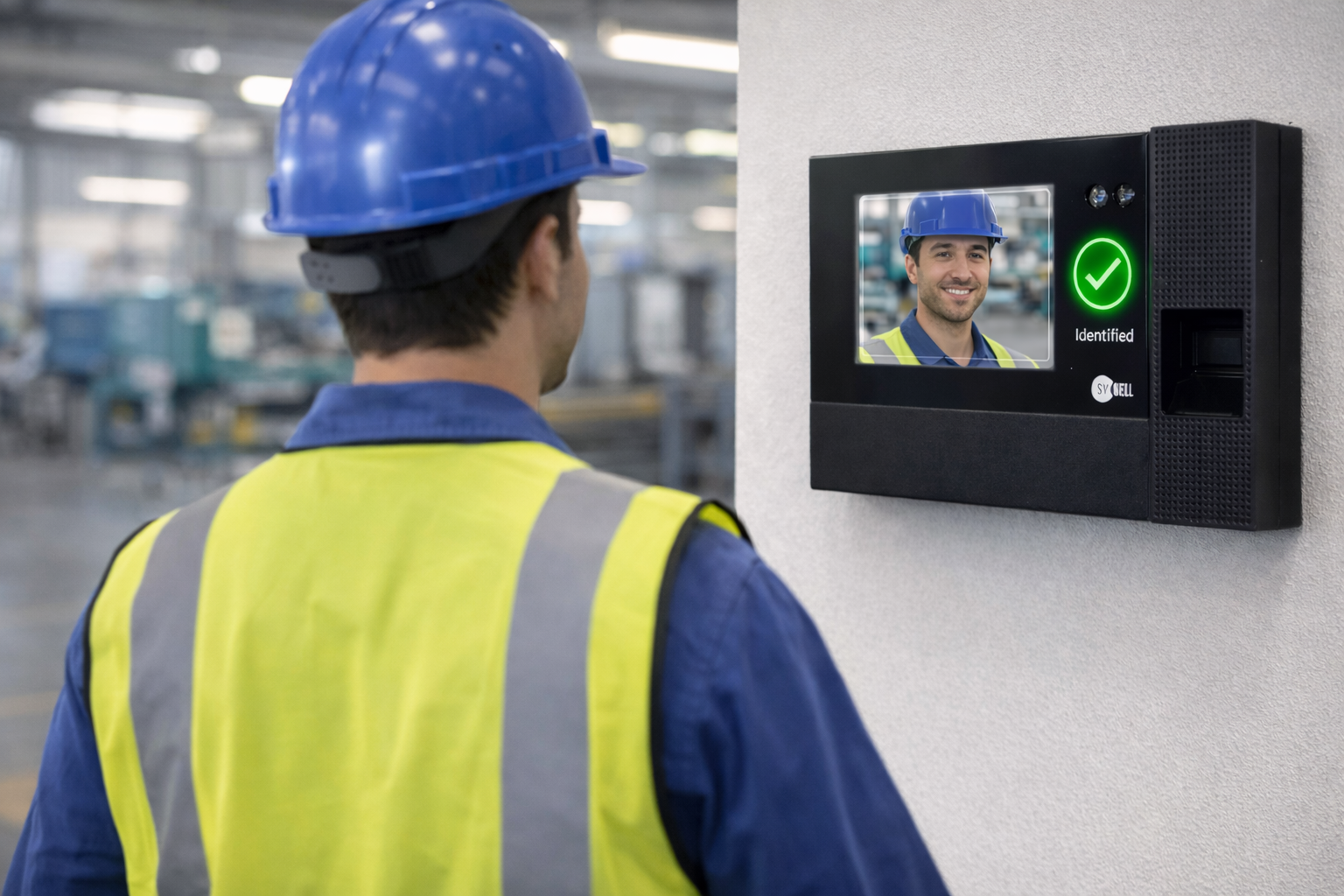
Connect the full range of Synel data capture devices: Synergy 5 and Synergy 10 biometric terminals, facial recognition units, card readers, and the Synergy mobile app. One integration handles all hardware types—add new terminals without additional development work.
Employee Enrolment
Enrolment happens directly on the clocking devices and authenticates with your third-party software. No duplicate data entry, no sync issues. New employees are onboarded once and recognised across all connected terminals immediately.
Pre-Built Integrations
Several third-party workforce management platforms are already integrated out of the box. For others, the documented REST and SOAP APIs make connection straightforward for any competent developer. Full documentation and support included.
Secure Data Handling
Biometric templates are stored on Synel hardware as encrypted algorithms that cannot be reverse-engineered into images. Data transmission uses secure connections throughout. Your clocking data is protected at rest and in transit.
Installation and Support Services
Synel offers nationwide on-site services—from initial hardware installation to ongoing maintenance and technical support. Our engineers handle the physical deployment so you can focus on your WFM platform configuration. Complete peace of mind for you and your end-customers.
Buyer's guide
Modern T&A: a buyer's guide
- 01 The true cost of legacy timekeeping
- 02 How do you actually capture the time?
- 03 The brain of the system
- 04 Compliance and risk management
- 05 The features that make daily life better
- 06 Beyond the basics
- 07 What this looks like in practice
- 08 The bit nobody tells you about choosing a supplier
Free · No signup required
Modern time and attendance, moving beyond the clock on the wall.
How to eliminate payroll leaks, ensure Working Time Regulations compliance, and get your workforce running on autopilot.
Related Time & Attendance Solutions
Explore more solutions that work together.
Card Reader Access Control
Fast, familiar card-based door access with central control and real-time visibility.
Biometric Access Control
Secure access using fingerprint or facial recognition, not cards or keys.
Touchless Clocking
Hygiene-first attendance tracking using touchless facial recognition or RFID.
Time & Attendance FAQs
Common questions about time & attendance answered.
What payroll systems does Synel integrate with?
Synel integrates with major UK payroll and HR systems including Sage, SAP, Oracle, Iris, Cascade, Pegasus and ADP.
Our open architecture allows integration with virtually any system that can accept data imports or has an API. The system exports approved hours directly to these platforms, reducing administrative time and eliminating manual data entry.
Can the system handle complex shift patterns and manufacturing rosters?
Yes. The system is specifically designed for sectors like manufacturing and logistics that rely on hourly-paid workers with complex shifts.
It supports advanced scheduling based on skills and availability, and automatically applies specific pay rules to different shifts. Nights, weekends, bank holidays and overtime thresholds are all handled automatically.
The rules engine handles scenarios that spreadsheets routinely get wrong, such as an employee working 30 actual hours but being paid for 42.6 weighted hours due to shift premiums.
Can I track time against specific jobs or projects?
Yes. The Synergy Projects module allows employees to clock onto specific jobs, tasks, cost centres or production lines.
This enables businesses to compare planned versus actual time, calculate true project costs and analyse productive versus non-productive time.
Data capture can be via shop floor terminals with barcode scanners, mobile app for field workers, or web browser for office staff. Reports show real-time job progress and cost variances.
How does biometric time tracking work?
Biometric time tracking uses unique physical characteristics such as fingerprints or facial features to identify employees when they clock in or out.
The system captures a template of the biometric data during enrolment, then matches it each time the employee clocks. This eliminates buddy punching and ensures accurate attendance records.
See Synergy Connect in action
Book a demo to see how Synel can streamline your operations and deliver measurable ROI.
Trusted by industry leaders