Safeguarding: Protect Students With Systems That Prove Compliance
Safeguarding is about more than having the right policies. Schools need to know who is on site, control access, and be able to show that checks were carried out properly. Digital systems make that evidence visible when it matters.
The reality today
Safeguarding policies exist on paper but proving compliance is another matter. Visitor books are illegible. DBS expiry dates live in spreadsheets nobody updates. You cannot say for certain who is on site right now. When Ofsted asks for evidence, staff scramble to compile it manually.
The Solution
Safeguarding systems record access and vetting as it happens. Visitors are checked in properly, DBS status is tracked, and everyone on site is visible in real time. Audit trails are created automatically, so compliance can be demonstrated without last-minute effort.
Prove Compliance
Digital audit trails show safeguarding procedures were followed. Evidence, not just policy.
Control Access
Only authorised people enter. Visitors vetted. DBS status checked. Watchlists consulted.
Know Who Is Here
Real-time visibility of everyone on site. Students, staff, visitors, contractors.
Ready for Ofsted
Reports generated in seconds. No scrambling when inspectors arrive.
Key Features
Everything you need, built in.
How It Works for Schools
Safeguarding and attendance made simple for education settings.
Control Entry
Access control ensures only authorised people can enter.
Vet Visitors
Visitors sign in, photos captured, DBS checked, watchlists consulted.
Record Access
Every entry logged with timestamp, identity and location.
Monitor Site
Real-time dashboard shows who is on site.
Generate Evidence
Reports demonstrate compliance for Ofsted inspection.
Built for Your Sector
About Safeguarding
Safeguarding is not just policy. It is proving that policy was followed. Synel's systems provide the digital evidence that your school controls who enters, vets visitors properly, and can account for everyone on site. When Ofsted inspects, you have the audit trail ready.
Control Who Enters
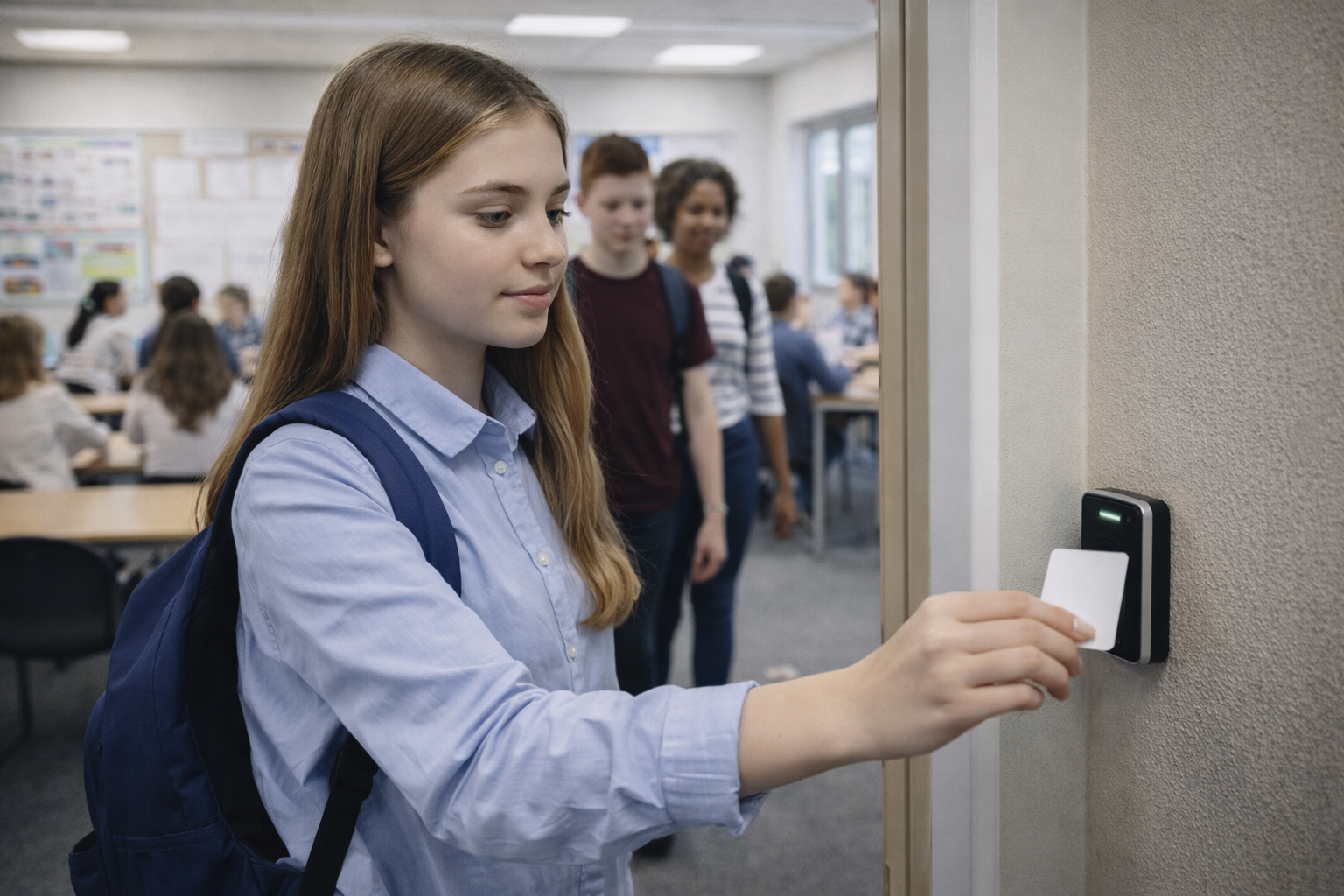
Access control ensures only authorised people can enter the site. Staff use cards or biometrics. Students are validated against MIS enrolment. Visitors sign in through a managed process. No more propped-open doors or unknown adults wandering corridors.
Visitor Vetting
Every visitor signs in digitally, with photo capture. The system can check against safeguarding watchlists. Contractors must have DBS status recorded before accessing student areas. Custom questions ensure visitors acknowledge safeguarding policies before entry.
DBS Recording
Record DBS check status for all contractors, supply staff and regular visitors. The system flags when checks expire. Staff without valid DBS can be prevented from accessing certain areas automatically. Evidence of compliance stored centrally.
Know Who Is On Site
Real-time visibility of everyone on your premises. Students, staff, visitors, contractors. All in one dashboard. In an emergency, you know exactly who to account for. No relying on paper sign-in books that stay at reception during evacuations.
Audit Trail for Ofsted
Every entry logged with timestamp, identity and photo where applicable. Generate reports showing visitor history, contractor access, and compliance with procedures. When inspectors ask about safeguarding, the evidence is ready in seconds.
Lockdown Capability
In a threat scenario, access control can trigger lockdown. Perimeter doors lock to keep threats out. Internal movement can be restricted or allowed depending on the situation. Staff receive alerts via mobile app with instructions.
Integration With School Systems
Safeguarding data integrates with your MIS and HR systems. Staff records link to access permissions. Student enrolment status determines who can enter. Leavers are automatically removed from the system. No manual updates required.


918
Pupils
3
Security Perimeters
““Synel are an outstanding company to work with. The installation team were excellent throughout the project: hard-working, straightforward to deal with, and quick to understand our requirements. We have ended up with a great solution that we plan to expand upon as our needs develop.”
Joe Matthews
IT Systems Manager, City of London School
See how City of London School transformed their operations with Synel.
Related Education Solutions
Explore more solutions that work together.
KCSIE Compliance
Evidence-ready systems that demonstrate KCSIE compliance during Ofsted inspection.
School Access Control
Control school access and know who is on site at all times for safeguarding and Ofsted.
School Visitor Management
Digital visitor sign-in with photo badges, fire roll inclusion, and Ofsted-ready records.
Education FAQs
Common questions about education answered.
What is KCSIE and how does access control help?
Keeping Children Safe in Education (KCSIE) is statutory guidance for schools in England.
Access control supports KCSIE compliance by ensuring only vetted individuals can access school premises. It maintains visitor logs with photo ID and provides audit trails demonstrating safeguarding procedures are followed.
This evidence is essential for Ofsted inspections.
Do schools need parental consent for biometrics?
The Protection of Freedoms Act 2012 requires schools to obtain written consent from at least one parent before processing a child's biometric data. Either parent can object, and schools must provide an alternative such as a card or PIN. For this reason, many primary and secondary schools use RFID cards rather than biometrics. Sixth forms and colleges with older students often use biometrics as students can consent themselves at 18.
Can visitors be included in fire evacuation reports?
Yes. Synergy Visitor automatically includes all signed-in guests in evacuation reports.
When the fire alarm triggers, fire wardens see a complete list of everyone on site. Staff and visitors, not just employees.
Visitor badges include QR codes for quick sign-out, and the system tracks exactly who is accounted for and who might still be inside.
How does school lockdown work with access control?
In a threat scenario, access control can trigger lockdown from a central point or panic button. Perimeter doors lock to prevent entry. Depending on the threat, internal doors can remain operational for invacuation to safe zones, or lock down completely to isolate areas. Staff receive alerts via mobile app with instructions. The system knows who is in each zone, helping coordinate the response. This capability is increasingly required under Martyn's Law for larger campuses.
What MIS systems does Synel integrate with for schools?
Synel integrates with major Management Information Systems including SIMS, iSAMS, Schoolbase, Tribal, EBS and Compass.
It also connects with cashless payment providers such as ParentPay, WisePay, Tucasi and Squid for a fully integrated school management solution.
See safeguarding systems in action
Book a demo to see how Synel can streamline your operations and deliver measurable ROI.
Trusted by industry leaders